https://www.globaltechnology2814.com
917780517507

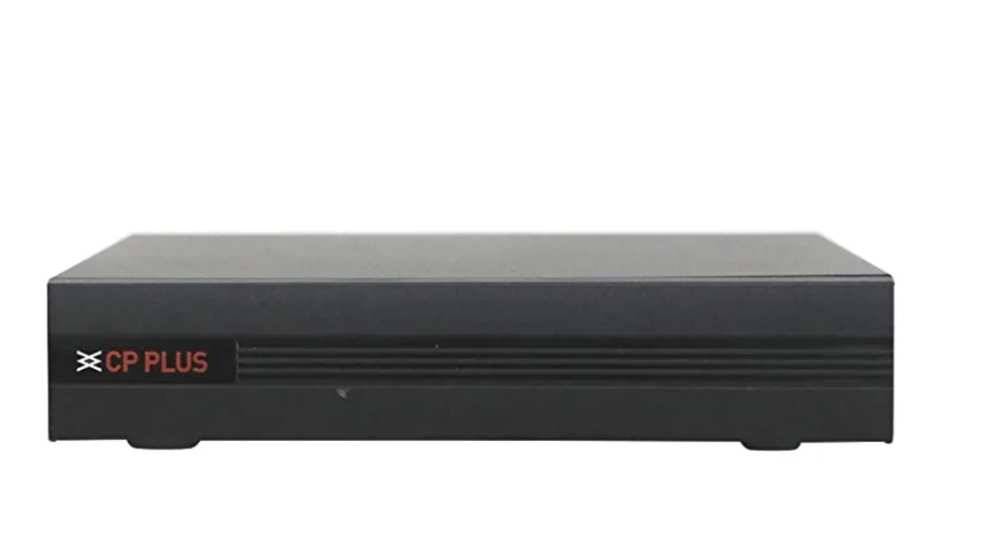
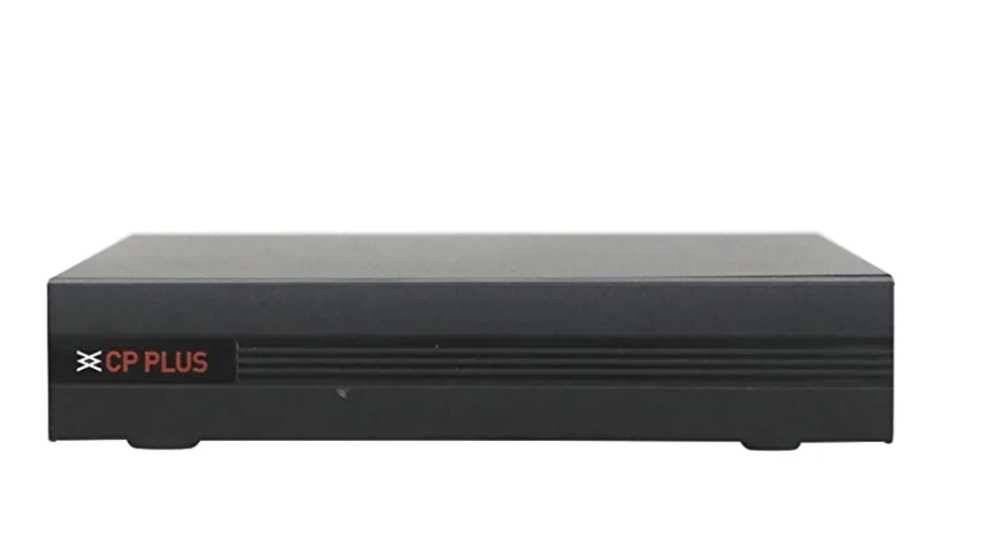
DVR Repair - Global Technology – One Stop Solution for Home Services Professional DVR Repair & CCTV Maintenance Services in Hyderabad Email: helpglobaltechnology2814@gmail.com Call: πŸ“ž 7780517507 Service Warranty: 1 Month on All DVR Repairs About Global Technology Global Technology is a trusted name in home and office service solutions across Hyderabad. We specialize in a wide range of technical repair and installation services β€” including DVR repair, CCTV camera installation, electrical works, plumbing, inverter setup, fabrication, and AC servicing. With years of professional experience, our mission is simple β€” to provide reliable, fast, and affordable repair services right at your doorstep. We believe in delivering satisfaction through quality workmanship, transparent pricing, and guaranteed results. Our team includes certified technicians and skilled engineers who handle all brands and models of DVRs, NVRs, and CCTV systems used in homes, shops, schools, offices, and industrial sites. Whether your DVR has stopped recording, showing no display, or needs a software update β€” Global Technology ensures a complete solution with a one-month service warranty. Why Choose Global Technology for DVR Repair in Hyderabad One Stop Solution: From DVR repair to CCTV installation and power supply replacement β€” all services under one roof. Experienced Technicians: Highly trained specialists handle every type of DVR and camera brand. Doorstep Service: We come to your location anywhere in Hyderabad β€” no need to carry your DVR. Transparent Charges: Affordable pricing with no hidden costs. One-Month Warranty: Every repair includes a 30-day service warranty for your peace of mind. Quick Response: Same-day service available for most Hyderabad areas. Multi-Brand Support: We repair CP Plus, Hikvision, Dahua, Zebronics, Secureye, and all major brands. Advanced Tools: We use modern diagnostic equipment for accurate fault detection. Customer Support: Friendly communication via call, WhatsApp, or email. 100% Satisfaction: We don’t close a ticket until you’re fully satisfied. Common DVR Problems We Fix At Global Technology, our technicians can solve any kind of DVR or CCTV system issue, including: DVR not turning on or dead. Power supply failure or burnt SMPS. No display on monitor or HDMI/VGA not working. Hard disk not detected or recording error. Video not showing for one or more cameras. Network error / Remote viewing not working. Auto restart or hanging DVR. Overheating or fan not working properly. Broken ports or damaged connectors. Password reset or firmware upgrade required. Image flickering, signal loss, or noise issues. DVR beeping continuously or not booting. Software error or corrupted data storage. Whether you’re using an 8-channel DVR for home security or a 32-channel DVR for business surveillance, we provide complete repair, maintenance, and configuration support. Our DVR Repair Process We follow a structured and professional repair process to ensure safety and reliability. 1. Initial Diagnosis Our technician inspects your DVR for common electrical or software faults. We check power input, SMPS, internal wiring, and component performance. 2. Quotation Approval After identifying the issue, we provide an estimated cost. Only after your approval do we proceed β€” no hidden charges, full transparency. 3. Component-Level Repair We perform PCB-level repairs if required β€” replacing faulty ICs, capacitors, or voltage regulators instead of replacing the full unit. This saves cost and ensures longer device life. 4. Firmware & Data Check Our experts verify software version, upgrade firmware if necessary, and ensure recording & playback work perfectly. 5. Final Testing We test your DVR with a monitor, multiple cameras, and record functionality to confirm complete operation. 6. Reinstallation & Handover Once verified, the DVR is reinstalled at your premises. We demonstrate operation and confirm everything runs smoothly. 7. Post-Service Support For the next 30 days, any issue related to our repair will be serviced free of cost under warranty. DVR Brands We Service We support all popular DVR brands available in the Indian market: CP Plus DVR Hikvision DVR Dahua DVR Zebronics DVR Secureye DVR TVT DVR Prama DVR Godrej Security DVR Honeywell DVR Uniview DVR HiLook DVR Bosch DVR No matter which brand or model you have β€” our engineers have the tools, training, and parts to repair it effectively. Areas We Serve Across Hyderabad Global Technology offers on-site DVR repair and home services in all major localities, including: Kukatpally, Miyapur, Gachibowli, Madhapur, Kondapur, Banjara Hills, Jubilee Hills, Ameerpet, Manikonda, KPHB Colony, Bowenpally, Begumpet, Uppal, Dilsukhnagar, LB Nagar, Secunderabad, Chanda Nagar, Bachupally, Nizampet, Kompally, Attapur, Mehdipatnam, and more. If you’re outside city limits, we also provide pickup and drop service for DVR repairs with minimal charges. Additional Services by Global Technology Apart from DVR repair, Global Technology provides complete home and business technical solutions including: CCTV camera installation & maintenance SMPS & Power Supply installation Inverter and UPS setup Electrical wiring and switchboard installation Generator earthing and connection Decorative fan & profile light installation Plumbing and leakage repair Fabrication and welding works AC installation, uninstallation, and servicing Marble polishing, painting, and home renovation services We truly are a one-stop solution for all home and office service needs in Hyderabad. Safety & Quality Assurance At Global Technology, safety and reliability are our top priorities. We follow all electrical and wiring standards (IS:732) to ensure your DVR system is connected safely without short circuits or overloading. Every repair is tested multiple times before handover. Our 1-month service warranty covers any malfunction caused by the repair. We use only original components and high-quality SMPS units, ensuring long-term stability and consistent video recording performance. Customer Support & Contact Information Need quick DVR service? Reach us easily: πŸ“§ Email: helpglobaltechnology2814@gmail.com πŸ“ž Call or WhatsApp: 7780517507 Our support team responds within minutes and schedules a technician visit at your convenient time. We’re available 7 days a week for residential, commercial, and industrial service requests. Why Customers Trust Global Technology βœ… 100% Reliable and Timely Service βœ… Skilled, Verified Technicians βœ… Affordable Pricing βœ… One-Month Warranty on All Repairs βœ… Multi-Brand Expertise βœ… Same-Day Visit in Most Areas βœ… Polite, Professional, and Punctual Team βœ… Genuine Spare Parts Used βœ… Transparent Billing βœ… After-Service Support Thousands of satisfied customers across Hyderabad trust Global Technology for dependable service and long-lasting results. Book Your DVR Repair Service Today Your CCTV system protects your home and business β€” don’t let a faulty DVR stop it from recording important moments. Call Global Technology today at πŸ“ž 7780517507 or email πŸ“§ helpglobaltechnology2814@gmail.com to schedule a same-day DVR repair visit. With fast service, affordable pricing, and a 1-month warranty, you can relax knowing your security system is in expert hands. Global Technology – One Stop Solution for Home Services Trusted. Reliable. Professional. Serving Hyderabad with pride and perfection. DVR repair

duration 30min INR 1300 INR 2000

Enquire

Description

Global Technology – One Stop Solution for Home Services Expert DVR Repair & CCTV System Solutions in Hyderabad At Global Technology, we take pride in being Hyderabad’s most trusted name for DVR Repair, CCTV Installation, Electrical, Plumbing, Fabrication, Painting, and Complete Home Service Solutions. With years of dedicated field experience and a team of trained technicians, we provide fast, reliable, and professional DVR repair services across all areas of Hyderabad β€” including Kukatpally, Gachibowli, Madhapur, Miyapur, Kondapur, Banjara Hills, Jubilee Hills, Mehdipatnam, Dilsukhnagar, LB Nagar, Uppal, Kompally, Ameerpet, and Secunderabad. If your DVR (Digital Video Recorder) has stopped recording, showing β€œno signal,” or simply refuses to power on β€” our experts can diagnose and repair it within hours. πŸ“ž Call Now: 7780517507 πŸ“§ Email: helpglobaltechnology2814@gmail.com We provide a One-Month Service Warranty on every repair. Why Choose Global Technology for DVR Repair? Expertise in all major DVR brands – Hikvision, CP Plus, Dahua, Zicom, Honeywell, Panasonic, and more. Certified technicians trained in both analog and IP-based surveillance systems. Fast on-site service – We reach your home or office anywhere in Hyderabad within a few hours. Genuine spare parts – We only use high-quality components for long-lasting performance. Affordable repair cost – Transparent pricing with no hidden charges. Warranty assurance – All DVR repair services include a 1-month functional warranty. Comprehensive service coverage – DVR, NVR, power supply, SMPS, hard disk, video output, and camera connectivity issues. 24Γ—7 customer support through WhatsApp and phone calls. Trusted by 5000+ customers across Hyderabad. One-Stop Solution for All Home Services – Electrical, CCTV, Fabrication, AC, Plumbing, Painting, and more. Common DVR Problems We Fix DVR not powering on or showing red light only DVR rebooting automatically No video signal from cameras Hard disk error or storage not detected Remote not working HDMI/VGA output not displaying Recording missing or overwriting early Power supply (SMPS) damaged Network disconnection or offline issues Mobile app viewing problem (Hik-Connect, iDMSS, etc.) Audio input/output malfunction Motion detection not working Date/time resetting automatically Firmware corruption or login password reset DVR getting overheated Video flickering or ghosting images Camera not displaying in sequence Recording stops after a few minutes Backup and playback errors LAN port or Wi-Fi module failure Each issue is handled carefully by our expert technicians, ensuring accurate fault diagnosis, professional repair, and thorough testing before reinstallation. Step-by-Step DVR Repair Process Initial Inspection: Our technician visits your location, checks the power source, DVR unit, and camera connection layout. Problem Diagnosis: Using professional tools, we test the DVR motherboard, SMPS, hard disk, and camera signal flow. Repair Estimate: We provide a clear quote before starting any work β€” no hidden costs or surprises. Component Repair or Replacement: Faulty parts like capacitors, ICs, or connectors are repaired or replaced using genuine spares. Software & Firmware Testing: If the issue is software-related, we reinstall or upgrade firmware to the latest stable version. Camera & Storage Testing: After repair, all cameras and storage functions are checked for full recording and playback. Customer Confirmation: We demonstrate the working system to the customer and provide tips for better performance. Service Warranty Provided: Each repair job comes with a 1-Month Warranty covering the service performed. After-Service Support: Our team remains available through phone or WhatsApp for follow-up assistance. Brands We Service Hikvision DVR Repair CP Plus DVR Repair Dahua DVR Repair Zicom DVR Repair Honeywell DVR Repair Panasonic DVR Repair Samsung DVR Repair Hikvision Turbo HD / NVR Systems CP Plus DVR Hybrid Models Custom-built DVRs used in commercial setups We also support NVR (Network Video Recorder) systems for IP cameras and hybrid setups used in modern surveillance networks. DVR Repair and Associated Services At Global Technology, our service doesn’t stop at repairing DVRs. We also offer: CCTV Camera Installation & Maintenance SMPS & Power Supply Installation Network Cabling and Setup Camera Angle Adjustment and Focus Setup Video Backup and Cloud Storage Configuration Router and Internet Connectivity Support for Remote View Old DVR Upgradation to HD/IP NVRs Complete Surveillance System Design for Homes and Offices Our technicians ensure your entire security system runs smoothly β€” not just your DVR unit. Service Areas Covered in Hyderabad We provide same-day or next-day DVR repair and CCTV service across all major Hyderabad locations: Kukatpally, Madhapur, Gachibowli, Kondapur, Miyapur, Ameerpet, Banjara Hills, Jubilee Hills, Mehdipatnam, Tolichowki, LB Nagar, Uppal, Kompally, Secunderabad, Hitech City, Bachupally, Manikonda, Nizampet, Malkajgiri, Bowenpally, Kothapet, Saroornagar, Hayathnagar, Dilsukhnagar, Erragadda, Moosapet, and all surrounding localities. Wherever you are in Hyderabad β€” our experts can reach you quickly. Why Global Technology Is Hyderabad’s Trusted Home Service Brand βœ… All Services Under One Roof – Electrical, Plumbing, Fabrication, CCTV, AC, Painting, Geyser, and more. βœ… Experienced Professionals – Skilled, background-verified, and uniformed technicians. βœ… On-Time Response – Quick scheduling and punctual visits. βœ… Transparent Pricing – Clear quotes, no hidden costs. βœ… Safety First – Use of insulated tools, gloves, and safe installation practices. βœ… Customer Satisfaction Guaranteed – 100% service satisfaction or free re-check. βœ… After-Service Support – Dedicated helpline for all queries. βœ… Warranty Protection – One-Month Service Warranty for all DVR Repairs. βœ… Hyderabad-Wide Coverage – All localities covered with same-day response. βœ… Digital Support – WhatsApp, email, and call booking options available.Real feedback like this has made Global Technology a top-rated home service brand in Hyderabad. Preventive Tips for Your DVR Keep DVR in a well-ventilated area to prevent overheating. Avoid direct sunlight or moisture near DVR units. Clean dust from DVR vents every month. Ensure uninterrupted power through UPS or inverter. Replace faulty SMPS immediately to prevent board damage. Use genuine hard disks for better recording life. Schedule annual service for cleaning and firmware updates. Label your camera channels for easy identification. Avoid frequent power ON/OFF cycles. Always take backup before resetting firmware. Following these maintenance tips extends your DVR’s life and keeps your surveillance system secure. Contact Us Global Technology – One Stop Solution for Home Services πŸ“ Service Areas: All Hyderabad Localities πŸ“ž Call / WhatsApp: 7780517507 πŸ“§ Email: helpglobaltechnology2814@gmail.com 🌐 Website: www.globaltechnology2814.com We’re available 7 days a week for DVR repair and all home service needs. Conclusion Your DVR is the heart of your CCTV security system β€” when it fails, your entire surveillance setup is at risk. With Global Technology, you get a trusted partner who understands both technology and service reliability. From power issues to full system upgrades, our professionals ensure your DVR works like new again. Every repair includes: Transparent diagnosis On-site service Genuine spares One-Month Service Warranty Follow-up support So if your DVR or CCTV system isn’t working properly β€” πŸ“ž Call us today at 7780517507 or πŸ“§ Email: helpglobaltechnology2814@gmail.com Global Technology – Your Trusted One Stop Solution for Every Home Service in Hyderabad. Because your safety and satisfaction are always our top priority.

Other Specifications

  • dahua DVR repair :  Dahua DVRs (Digital Video Recorders) are a popular choice for security systems, but like any electronic device, they may require repair from time to time. Here are some key specifications to consider when dealing with Dahua DVR repair: 1. Model Number: * This is crucial for identifying the exact DVR model and finding the correct replacement parts or documentation. * The model number is usually found on a sticker on the DVR casing. 2. Hardware Version: * This indicates the specific hardware revision of the DVR, which can affect compatibility with certain components or firmware updates. 3. Firmware Version: * The firmware is the software that runs the DVR. Knowing the firmware version is important for troubleshooting issues and determining if an update is needed. 4. Common Issues: * Power Supply Problems: Check the power adapter and internal power components. * Hard Drive Failure: The hard drive stores the recorded video. Failure can result in data loss. * Camera Connection Issues: Problems with BNC connectors, cables, or camera power. * Network Connectivity: Issues with Ethernet cables, network settings, or router compatibility. * Software Glitches: Firmware issues can cause various problems, sometimes resolved with a reset or update. 5. Repair Considerations: * Warranty: Check if the DVR is still under warranty. If so, contact Dahua or an authorized service center for repair. * Technical Skills: DVR repair may require some technical knowledge. If you're not comfortable, consider seeking professional help. * Replacement Parts: Identify the faulty component and source a compatible replacement. * Documentation: Refer to the user manual or online resources for troubleshooting tips and repair instructions. 6. Dahua Support: * Dahua provides support resources on their website, including manuals, software downloads, and contact information for service centers. * You can find their website here: https://www.dahuasecurity.com/ Disclaimer: * Repairing electronic devices can be risky. Proceed with caution and ensure you have the necessary skills and knowledge. * Always disconnect the DVR from power before attempting any repairs. * If you're unsure, seek professional assistance to avoid further damage or personal injury. By considering these key specifications and repair considerations, you can effectively address Dahua DVR issues and ensure your security system functions properly.
  • hikvision DVR repair :  Hikvision DVRs are known for their reliability, but like any electronic device, they may require repair from time to time. Here are some key specifications to consider when dealing with Hikvision DVR repair: 1. Model Number: * This is crucial for identifying the exact DVR model and finding the correct replacement parts or firmware updates. It's usually found on a sticker on the device. 2. Hardware Components: * Hard Disk Drive (HDD): The storage capacity and type (SATA) are important for replacement. * Motherboard: This contains the processor, memory, and other essential chips. * Power Supply: Ensure the replacement has the correct voltage and wattage. * Video Input/Output Ports: These include BNC connectors for cameras, HDMI or VGA for monitors. * Network Ports: Ethernet ports for network connectivity. 3. Software/Firmware: * Firmware Version: Outdated firmware can cause issues. Upgrading to the latest version might resolve some problems. * Operating System: Hikvision DVRs run on embedded Linux. 4. Common Issues and Troubleshooting: * No Video Output: Check connections, power supply, and camera compatibility. * Recording Problems: Verify HDD status, recording settings, and camera signals. * Network Connectivity Issues: Troubleshoot network cables, IP addresses, and router settings. * Password Reset: If you've forgotten the password, you might need to contact Hikvision support. 5. Repair Options: * Authorized Service Centers: Hikvision has authorized service centers where trained technicians can diagnose and repair your DVR. * Online Resources: Hikvision's website offers support resources, including manuals, FAQs, and firmware downloads. * Third-Party Repair Shops: Some local electronics repair shops may be able to fix Hikvision DVRs. Important Notes: * Warranty: Check if your DVR is still under warranty. If it is, contact Hikvision or the seller for warranty service. * Professional Help: If you're not comfortable with electronics repair, it's best to seek professional assistance. * Data Backup: Before attempting any repairs, try to back up any important recordings from the DVR. Where to Find More Information: * Hikvision Website: https://www.hikvision.com/ * Hikvision Support: https://www.hikvision.com/en/support/ Remember to always handle electronic devices with care and take necessary precautions when attempting any repairs.
  • unicam DVR repair :  Unicam DVRs are digital video recorders used in CCTV surveillance systems. They record video from connected cameras onto a hard drive. Here's a breakdown of key specifications to consider when looking at Unicam DVRs: Recording: * Resolution: This determines the image quality of recorded video (e.g., 1080p, 4K). Higher resolution means clearer images but requires more storage space. * Frame Rate: Measured in frames per second (fps), this indicates the smoothness of motion in the recorded video. Higher fps results in smoother playback. * Compression: DVRs use compression technologies (like H.264, H.265) to reduce file sizes while maintaining acceptable video quality. More efficient compression allows for longer recording times. * Recording Modes: DVRs often offer different recording modes (continuous, scheduled, motion-triggered) to optimize storage and capture relevant events. Storage: * Hard Drive Capacity: This determines how much video the DVR can store. Larger capacity allows for longer recording periods. * SATA Interfaces: The number of SATA interfaces indicates how many hard drives can be installed in the DVR. Connectivity: * Camera Inputs: The number of BNC ports determines how many cameras can be connected to the DVR. * Network Connectivity: Ethernet ports allow the DVR to be connected to a network for remote viewing and management. * Video Outputs: HDMI and VGA ports allow the DVR to be connected to a monitor for local viewing. * USB Ports: USB ports are used for connecting external devices like mice, keyboards, or for backing up recorded video. Other Features: * Remote Viewing: Unicam DVRs often support remote viewing via mobile apps or web browsers, allowing you to access your cameras from anywhere. * Motion Detection: This feature triggers recording when motion is detected, saving storage space and making it easier to find important events. * Alarm Inputs/Outputs: These can be used to connect external sensors or alarms to the DVR. * PTZ Control: If you have PTZ (pan-tilt-zoom) cameras, the DVR should support controlling them remotely. Important Considerations: * Compatibility: Ensure the DVR is compatible with the type of cameras you plan to use (analog, IP). * Ease of Use: A user-friendly interface makes it easier to configure and manage the DVR. * Reliability: Choose a reputable brand with a history of producing reliable equipment. Where to Find More Information: * Unicam Website: Visit the official Unicam website (if available) for detailed product specifications and manuals. * Online Retailers: Check online retailers like Amazon or security equipment suppliers for product listings and customer reviews. * CCTV Installers: Consult with a professional CCTV installer for advice on choosing the right DVR for your needs. By carefully considering these specifications and features, you can choose the right Unicam DVR to meet your security surveillance requirements.
  • cp plus repair :  Here are the **other specifications** and considerations typically involved in **CP Plus device repair services**β€”whether for **CCTV cameras**, **NVRs/DVRs**, or **related security equipment**: --- ### βœ… **1. Device Type & Model** - **Device Category**: - IP Camera - Analog Camera - DVR (Digital Video Recorder) - NVR (Network Video Recorder) - Power Supply Unit - Display Monitor - **Model Number**: Needed for compatibility and firmware issues - **Channel Support**: 4, 8, 16, 32, etc. (for NVR/DVR) --- ### βœ… **2. Common Repair Issues** - **Camera Problems**: - No video output / blurred image - Night vision IR not working - Focus and lens issues - Housing damage (indoor/outdoor) - **DVR/NVR Issues**: - Not booting or stuck on logo - No display via HDMI/VGA - HDD not detected or failure - Port issues (USB, LAN, BNC, etc.) - Firmware corruption or crash - **Power Supply Issues**: - Voltage drop or short-circuit - Dead SMPS or adaptor - **Connectivity Problems**: - Network not detected - Camera not showing on app (CP Plus ezykam+/gCMOB) --- ### βœ… **3. Diagnostic & Repair Process** - **Physical Inspection** - **Board-Level Diagnosis** (shorts, IC failures, etc.) - **Firmware Check & Re-flashing** - **Port Testing** (LAN, HDMI, BNC) - **Voltage & Current Testing** for cameras and power supplies - **Hard Disk Test** (SMART test, data recovery if needed) --- ### βœ… **4. Component Replacement Specs** - **Camera Lens Module** - **IR LED Arrays** - **Power Circuit Components** - **CMOS Sensors** (if image output is corrupt) - **Mainboard ICs** (for DVR/NVR logic control) - **Fans or Heat Sinks** --- ### βœ… **5. Software & Configuration** - **Firmware Upgrades/Downgrades** - **Factory Reset & Configuration** - **Password Recovery/Reset** - **Mobile App Integration Setup** - **IP Address & Port Settings** --- ### βœ… **6. Service Terms** - **Warranty on Repairs**: Typically 1–3 months (varies by provider) - **On-site vs. In-shop Repairs** - **Replacement Recommendations** if repair is uneconomical - **Service Report/Checklist Provided** --- Would you like a repair report template or a troubleshooting checklist for CP Plus devices?
  • Key specification :  The CP Plus Software Update Service ensures your surveillance and security devices are always equipped with the latest features and improvements. By regularly updating the software, this service enhances system performance, fixes bugs, and strengthens security measures. It helps maintain optimal functionality and compatibility, keeping your CP Plus devices reliable and up-to-date for seamless monitoring and protection.
  • Key specification :  **Key Specification: Hikvision DVR Unbinding** * Unbinding of Hikvision DVR from existing Hik-Connect account * Support for online and offline unbinding methods based on device firmware * Use of Hikvision SADP Tool or IVMS-4200 software for offline unbind process * Verification of device serial number, model number, and current binding status * Admin password reset assistance (if needed) using XML file or QR code method * Support for DVR models in the DS-series and others compatible with Hik-Connect * Requires valid proof of ownership or authorization for unbinding * Guidance for secure re-binding to a new Hik-Connect account after unbinding * Ensures restoration of remote access and full mobile app functionality * Performed in compliance with Hikvision security and privacy policies
  • Repairing a DVR (Digital Video Recorder) can be complex, as these devices combine electronics, storage, and software. Here's a breakdown of key specifications and considerations for DVR repair:1. Identifying the Problem: * Power Issues: Is the DVR not turning on at all? This could be a power supply problem, a faulty power switch, or an issue on the main board. * Video Output: Is there no video output, or is the image distorted? This could be a problem with the video output ports, the video processing chip, or the cables. * Recording Issues: Is the DVR not recording, or are the recordings corrupted? This could be a hard drive issue, a problem with the recording software, or a fault with the recording circuitry. * Network Connectivity: Is the DVR not connecting to the network? This could be a problem with the network port, the network settings, or a software issue. * Hard Drive Problems: Is the DVR not recognizing the hard drive, or are there errors during playback? This is a common issue and often relates to the hard drive itself.2. Tools and Materials: * Screwdrivers: Various sizes for opening the DVR casing and accessing internal components. * Multimeter: To test voltages and continuity. * Soldering Iron and Solder: For repairing or replacing electronic components. * Hard Drive Tester: To diagnose hard drive issues. * Replacement Parts: This could include power supplies, hard drives, connectors, or other electronic components.3. Repair Steps: * Safety First: Always disconnect the DVR from the power source before starting any repair work. * Visual Inspection: Carefully inspect the internal components for any obvious signs of damage, such as burnt components, loose connections, or bulging capacitors. * Power Supply Check: If the DVR is not turning on, check the power supply for proper voltage output. * Hard Drive Check: If you suspect a hard drive problem, use a hard drive tester to check for errors. * Component Replacement: If you identify a faulty component, carefully remove it and replace it with a new one. * Software Issues: Some DVRs have software that can be updated or reset. Check the manufacturer's website for updates or troubleshooting guides.Key Specifications for DVR Repair: * Component Identification: Accurately identify the faulty component before replacing it. * Soldering Skills: If soldering is required, ensure proper soldering techniques to avoid damaging the components or the board. * Hard Drive Compatibility: When replacing a hard drive, ensure it's compatible with the DVR in terms of capacity and interface (SATA, etc.).Important Notes: * Complexity: DVR repair can be complex and requires some knowledge of electronics and troubleshooting skills. * Professional Help: If you're not comfortable with the repair process, it's always best to consult a qualified electronics repair technician or CCTV specialist. * Data Recovery: If the DVR has valuable recordings on a faulty hard drive, consider seeking professional data recovery services.Disclaimer: * Warranty: Be aware that opening the DVR may void any warranty that's still in effect. * Safety: Working with electronics can be dangerous if you're not familiar with proper safety procedures.If you can provide more details about the specific problem you're experiencing with your DVR, I might be able to give you more specific advice.

Filter tags

Camera DVR Repair DVR Repair Service In Hyderabad DVR Repair Service Near MeDVR Repair Cp Plus DVR Repair Shop Near Me DVR Repair Services Dahua DVR Repair Panasonic Dvr Repair Hikvision Dvr Repair Honeywell DVR Repair 4 Channel Dvr Repair 8 Channel DVR Repair 28 Channel Dvr Repair Cp Plus 8 Channel Dvr Repair Top DVR Repair DVR Repair DVR Repair Near Me Hikvision DVR Repair Near Me Hikvision. DVR Repair Swann DVR Repair Near Me Cctv DVR Repair Service Dahua DVR Repair Cp Plus DVR Repair Cctv DVR Repair Lorex DVR Repair DVR Repairing Hyderabad DVR Issue DVR Repair Troubleshooting DVR Repair Service Near Me How To Repair A DVR How To Fix DVR Problem DVR Board Repair DVR Rebooting Problem Hikvision DVR Board Repair DVR Repairing DVR Camera Repair Near Me Cctv DVR Repair Near Me Cp Plus DVR Repair Near Me Camera DVR Repair Security DVR Repair Service DVR Shop DVR Repair Shop Near Me DVR Repairing Hsn Code My DVR Is Not Responding DVR Repair In Borabanda DVR Video Loss Problem DVR Lan Port Repair Surveillance DVR Repair Samsung DVR Repair One Repair Center DVR RepairsDVR Replacement DVR Not Working unicam dvr repairdvr sales and servicedvr sales and service near me borabondadvr sales and service near me kukatpallydvr sales and service near me bachpally8 channal dvr repairdvr sales and service near me moosapeta s sales and servicea to z sales and servicea v salescctv camera sales and service near me borabondadvr in salesdvr sales and service addressdvr sales and service agreementdvr sales and service agreement formatdvr sales and service appdvr sales and service near me hyderabaddvr sales and service near me balanagardvr sales and service center near me borabondadvr sales and service depamentdvr sales and service descriptiondvr sales and service desk near medvr sales and service near me nizampetdvr repair sales and service near medvr sales and service update near medvr sales and service warranty near me kukatpallydvr sales and sert xpressdvr sales and sert upsdvr sales and sert unitdvr sales and sert typedvr sales and sert sets pricedvr sales and service pvt ltddvr sales and service moosapetdvr sales and service patncharudvr sales and service near me secunderabaddvr sales and service near me hyderabaddvr sales and service near me ameerpetdvr sales and service near me zaherabaddvr sales and service near me moinabaddvr sales and service update near medvr sales and service near me sr nagarcp plus dvr sales and service near me borabondadvr sales and service near me jublihillsdvr sales and service near me banjara hillsamaron dvr sales and service near me hyderabaddahua dvr sales and service near me secunderabadpanaconic dvr sales and service near me nizampetdvr sales and service near me kondapuramaron dvr sales and service near me zaharebad4 channal dvr sales and service near me hyderabad28 channal dvr sales and service near me secunderabadcamera dvr sales and service near me borabondacamera dvr sales and service near me khajaguda hillscamera dvr sales and service near me omnabadcamera dvr repair sales and service near medvr repair sales and service near me borabondadvr repair sales and service near me karmika nagardvr repair sales and service near me mothi nagardvr repair sales and service near me moosapetdvr reparing near medvr repair sales and service near me habsigudadvr repair sales and service shops near me bachpallycctv dvr repair sales and service near meCP PLUS DVR REPAIR NEAR MECP PLUS 8 CHANNEL DVR REPAIR NEAR MECP PLUS 16 CHANNEL DVR REPAIR NEAR MEbest dvr data recovery softwarebest dvr repair near mecamera dvr repaircan a dvr be repairedcctv camera dvr repair near mecctv dvr repaircctv dvr repair near mecctv dvr repair servicecp plus dvr 8 channel repaircp plus dvr repaircp plus dvr repair near mecp plus dvr repair near medahua dvr repairdahua dvr servicedigital video repair dvrdrv valve repairdvr and tv repairdvr board repairdvr camera repairdvr camera repair near medvr digital video repairdvr issuesdvr lan port repairdvr motherboard repairdvr plus tv repairdvr plus tv repairdvr problemsdvr rebooting problemdvr recorder repair near medvr recover deleted recordingdvr repairdvr repair centredvr repair costdvr repair delhidvr repair emaildvr repair errordvr repair examinerdvr repair examiner crackdvr repair exceldvr repair excel filedvr repair exedvr repair exedvr repair exedvr repair exedvr repair expertsdvr repair getintopcdvr repair googledvr repair guidedvr repair guide pdfdvr repair hsn codedvr repair in lajpat rai marketdvr repair in nehru placedvr repair job descriptiondvr repair jobsdvr repair jobs in hyderabaddvr repair jumper resetdvr repair kaisedvr repair kaise karendvr repair ki recordingdvr repair kitdvr repair ko kaisedvr repair ko kharab kaise karedvr repair kolkatadvr repair lahoredvr repair near medvr repair near medvr repair only 30 min delhidvr repair only 30 min delhidvr repair only 30 minutesdvr repair questions and answersdvr repair quotationdvr repair quotation formatdvr repair quotesdvr repair service near me dvr repair service near me dvr repair shopdvr repair shop near medvr repair sri lankadvr repair troubleshootingdvr repair warrantydvr repair websitedvr repair windowsdvr repair with crackdvr repair workdvr repair workshopdvr repair zauba corpdvr repair zerodhadvr repair zipdvr repair zonedvr repair zscalerdvr repairing chargesdvr repairing coursedvr repairing hsn codedvr repairing in ahmedabaddvr repairing shop near medvr service centerdvr service center near medvr service centredvr service chargesdvr service fiosdvr service for streamingdvr service hsn codedvr service manualdvr service meaningdvr service near medvr service not available currently disableddvr service numberdvr service optimumdvr service provider portaldvr service providersdvr service spectrumdvr service unavailabledvr service xfinitydvr streaming servicedvr tv repairdvr tv repair full formdvr tv repair surgerydvr user servicedvr video loss problemsdvr with tv repairh.264 dvr troubleshooting video losshikvision 8 channel dvr repairhikvision dvr board repair near mehikvision dvr motherboard repair near me hikvision dvr repairhikvision dvr repair databasehikvision dvr repair near mehow can i pull my mvrhow to fix dvrhow to fix dvr problemshow to repair dvrhow to repair dvr hard diskhow to repair dvr power supplyjvc repairlorex dvr repairmvr repairmvr reviewsnight owl dvr repairpanasonic dvr repairpsx dvr repairrepair dvrrepair dvr serialsecurity camera dvr repairsecurity dvr repairservice dvr terdekatswann dvr repairswann dvr repair near mevalve repair shops near mewhat is mvr surgerywhat to do when dvr is not workingwhy dvr not recordingbest dvr data recovery softwarebest dvr indiacamera dvr repaircctv dvr repair servicedvr repairdvr repair delhidvr repair in delhidvr repair in indiadvr repair in india adapterdvr repair in india agencies coimbatoredvr repair in india ahmedabaddvr repair in india amazondvr repair in india amazon indiadvr repair in india amazon primedvr repair in india appdvr repair in india automotivedvr repair in india bangaloredvr repair in india bangalore karnatakadvr repair in india batterydvr repair in india bihardvr repair in india boarddvr repair in india cameradvr repair in india cctvdvr repair in india centerdvr repair in india chandigarhdvr repair in india chandni chowkdvr repair in india chinadvr repair in india complaintdvr repair in india contactdvr repair in india contact numberdvr repair in india costdvr repair in india dahuadvr repair in india dedvr repair in india deaddvr repair in india delhidvr repair in india delhi ncrdvr repair in india diagnosticdvr repair in india displaydvr repair in india downloaddvr repair in india electricaldvr repair in india emaildvr repair in india email addressdvr repair in india email iddvr repair in india englishdvr repair in india enterprises chennaidvr repair in india examiner pricedvr repair in india fandvr repair in india fittingdvr repair in india fixdvr repair in india for pcdvr repair in india for windowsdvr repair in india forumdvr repair in india freedvr repair in india garmentsdvr repair in india gmaildvr repair in india goadvr repair in india googledvr repair in india google drivedvr repair in india gujaratdvr repair in india hajipurdvr repair in india hard diskdvr repair in india health caredvr repair in india hindidvr repair in india hyderabaddvr repair in india hyderabad telanganadvr repair in india icdvr repair in india in englishdvr repair in india in hindidvr repair in india indiadvr repair in india india onlinedvr repair in india indiandvr repair in india indianadvr repair in india instagramdvr repair in india jacketsdvr repair in india jaipurdvr repair in india jaipur rajasthandvr repair in india jiodvr repair in india jobdvr repair in india joindvr repair in india kaisedvr repair in india kaise karendvr repair in india kannadadvr repair in india karancidvr repair in india ko kaisedvr repair in india kolkatadvr repair in india kurnooldvr repair in india kya haidvr repair in india lajpat rai marketdvr repair in india latest newsdvr repair in india listdvr repair in india locationdvr repair in india logindvr repair in india manufacturersdvr repair in india marketdvr repair in india medvr repair in india meaningdvr repair in india medical systemsdvr repair in india minutesdvr repair in india motherboard near medvr repair in india mumbaidvr repair in india onlinedvr repair in india online freedvr repair in india only 30 minutesdvr repair in india ordvr repair in india or notdvr repair in india overseasdvr repair in india pcbdvr repair in india placedvr repair in india plusdvr repair in india portdvr repair in india postdvr repair in india post officedvr repair in india power supplydvr repair in india pricedvr repair in india pricedvr repair in india price listdvr repair in india punjab near medvr repair in india qualcommdvr repair in india qualitydvr repair in india que esdvr repair in india questionsdvr repair in india queuedvr repair in india quoradvr repair in india rai marketdvr repair in india ranidvr repair in india raniganjdvr repair in india realdvr repair in india real or fakedvr repair in india recorderdvr repair in india recoverydvr repair in india redditdvr repair in india refinersdvr repair in india servicedvr repair in india shop near medvr repair in india smpsdvr repair in india stockdvr repair in india stock imagedvr repair in india stock marketdvr repair in india stock photodvr repair in india stock videodvr repair in india tamildvr repair in india teardowndvr repair in india technologiesdvr repair in india telugudvr repair in india todaydvr repair in india today newsdvr repair in india tvdvr repair in india tv channeldvr repair in india videodvr repair in india video recovery softwaredvr repair in india video youtubedvr repair in india vsdvr repair in india warrantydvr repair in india websitedvr repair in india websitedvr repair in india workingdvr repair in india working principledvr repair in india x accountdvr repair in india x raydvr repair in india x5dvr repair in india xboxdvr repair in india youtubedvr repair in india youtube channeldvr repair in india youtube videodvr repair in india zadvr repair in india zoomdvr repair in indiandvr repair in indianadvr repair in lajpat rai marketdvr repair in nehru placedvr repair in telugudvr repair near medvr repair no displaydvr repair shop india near medvr repairingdvr repairing near menvr repairrepair dvrrepair dvr cctvx ray repairbest hikvision dvrbest hikvision dvr 2023best hikvision nvrcan hikvision dvr connect to wifidoes dvr have ip addressdoes hikvision dvr support wifi dongledvr unbind in kukatpally hikvision dvr unbindhikvision dvr unbind devicehikvision dvr unbind device 2022hikvision dvr unbind device emailhikvision dvr unbind device not supportedhikvision dvr unbind device onlinehikvision dvr unbind device operation failedhikvision dvr unbind errorhikvision dvr unbind failedhikvision dvr unbind optionhikvision dvr unbind option not showinghikvision dvr unbind problemhikvision dvr unbind processhikvision dvr unbind timeouthikvision dvr unboundhikvision dvr without hard diskhikvision unbind dvrhikvisivion dvr unbaind in hyd addresshikvisivion dvr unbaind in hyd address and phone numberhikvisivion dvr unbaind in hyd andhra pradeshhikvisivion dvr unbaind in hyd branchhikvisivion dvr unbaind in hyd branches listhikvisivion dvr unbaind in hyd by defaulthikvisivion dvr unbaind in hyd contacthikvisivion dvr unbaind in hyd contact detailshikvisivion dvr unbaind in hyd contact numberhikvisivion dvr unbaind in hyd customer care numberhikvisivion dvr unbaind in hyd datehikvisivion dvr unbaind in hyd dealerhikvisivion dvr unbaind in hyd devicehikvisivion dvr unbaind in hyd distributorhikvisivion dvr unbaind in hyd facebookhikvisivion dvr unbaind in hyd facebook pagehikvisivion dvr unbaind in hyd factoryhikvisivion dvr unbaind in hyd factory resethikvisivion dvr unbaind in hyd filehikvisivion dvr unbaind in hyd flightshikvisivion dvr unbaind in hyd gachibowlihikvisivion dvr unbaind in hyd gachibowli hyderabadhikvisivion dvr unbaind in hyd gatehikvisivion dvr unbaind in hyd gujarathikvisivion dvr unbaind in hyd gunturhikvisivion dvr unbaind in hyd hindihikvisivion dvr unbaind in hyd hindi languagehikvisivion dvr unbaind in hyd hindi videohikvisivion dvr unbaind in hyd hyderabadhikvisivion dvr unbaind in hyd hyderabad telanganahikvisivion dvr unbaind in hyd indiahikvisivion dvr unbaind in hyd javahikvisivion dvr unbaind in hyd jobshikvisivion dvr unbaind in hyd karnatakahikvisivion dvr unbaind in hyd keyboardhikvisivion dvr unbaind in hyd kondapurhikvisivion dvr unbaind in hyd localhikvisivion dvr unbaind in hyd local timehikvisivion dvr unbaind in hyd locationhikvisivion dvr unbaind in hyd madhapurhikvisivion dvr unbaind in hyd madhapur hyderabadhikvisivion dvr unbaind in hyd maharashtrahikvisivion dvr unbaind in hyd markethikvisivion dvr unbaind in hyd metrohikvisivion dvr unbaind in hyd near mehikvisivion dvr unbaind in hyd nearbyhikvisivion dvr unbaind in hyd newshikvisivion dvr unbaind in hyd nowhikvisivion dvr unbaind in hyd numberhikvisivion dvr unbaind in hyd officehikvisivion dvr unbaind in hyd office 365hikvisivion dvr unbaind in hyd office addresshikvisivion dvr unbaind in hyd onlinehikvisivion dvr unbaind in hyd pakistanhikvisivion dvr unbaind in hyd phonehikvisivion dvr unbaind in hyd phone numberhikvisivion dvr unbaind in hyd pricehikvisivion dvr unbaind in hyd price listhikvisivion dvr unbaind in hyd qahikvisivion dvr unbaind in hyd qldhikvisivion dvr unbaind in hyd quettahikvisivion dvr unbaind in hyd queuehikvisivion dvr unbaind in hyd quorahikvisivion dvr unbaind in hyd servicehikvisivion dvr unbaind in hyd shophikvisivion dvr unbaind in hyd softwarehikvisivion dvr unbaind in hyd storehikvisivion dvr unbaind in hyd telanganahikvisivion dvr unbaind in hyd telangana indiahikvisivion dvr unbaind in hyd telangana statehikvisivion dvr unbaind in hyd ukhikvisivion dvr unbaind in hyd universityhikvisivion dvr unbaind in hyd ushikvisivion dvr unbaind in hyd userhikvisivion dvr unbaind in hyd user manualhikvisivion dvr unbaind in hyd uttar pradeshhikvisivion dvr unbaind in hyd videohikvisivion dvr unbaind in hyd video youtubehikvisivion dvr unbaind in hyd videocon d2hhikvisivion dvr unbaind in hyd vshikvisivion dvr unbaind in hyd westhikvisivion dvr unbaind in hyd west bengalhikvisivion dvr unbaind in hyd west zonehikvisivion dvr unbaind in hyd what should i dohikvisivion dvr unbaind in hyd wherehikvisivion dvr unbaind in hyd xboxhikvisivion dvr unbaind in hyd xeroxhikvisivion dvr unbaind in hyd xerox machinehikvisivion dvr unbaind in hyd xiaomihikvisivion dvr unbaind in hyd youtubehikvisivion dvr unbaind in hyd youtube channelhikvisivion dvr unbaind in hyd zonalhikvisivion dvr unbaind in hyd zonal officehikvisivion dvr unbaind in hyd zonehikvisivion dvr unbaind in hyderabadhikvisivion dvr unbaind in hyderabad telanganahikvisivion dvr unbaind in hyderabad telanganahikvisivion dvr unbaind in hydrahow to unbind hikvision dvr from hik-connect account how to unbind hikvision dvr on mobilehow to unbind hikvision dvr without passwordhow unbind hikvision dvris hikvision banned in indiamy hikvision dvr is beepingmy hikvision dvr is not recordingmy hikvision dvr is not workingmy hikvision dvr is offlinetop 10 dvr brand in indiatop dvr brands in indiaunbind dvr hikvisionunbind hikvision dvr failedunbind hikvision dvr old versionunbind hikvision dvr onlinewhere to find hikvision dvr serial number
Book Appointment

No services available for booking.

Select Staff

AnyBody

Morning
    Afternoon
      Evening
        Night
          Appointment Slot Unavailable
          Your enquiry
          Mobile or Email

          Appointment date & time

          Sunday, 7 Aug, 6:00 PM

          Your Name
          Mobile Number
          Email Id
          Message

          Balinese massage - 60 min

          INR 200

          INR 500

          services True True +918048061672